The traditional path to launching a website: learn HTML, pick a platform, wrestle with a theme, configure DNS, deploy. Days of work for something that should take minutes. If you're new to AI agents, start with what an AI agent actually is.
The AI agent path: describe what you want, get a link.
What your agent can build
- Landing pages — hero, features, pricing, CTA
- Portfolio sites — about, projects, contact
- Product pages — product info, screenshots, buy button
- Documentation sites — nav, sections, search
- One-pagers — everything on a single scrollable page
All responsive, all deployed to a real URL you can share.
The 3-step process
1. Describe what you want
Be specific. Bad: "Make me a website." Better: "Build a landing page for my photography business. Dark theme. Hero with my best photo. Sections for portfolio, about, and contact form. My name is Alex Rivera."
Your agent understands context. Give it your brand colors, your tone, your audience.
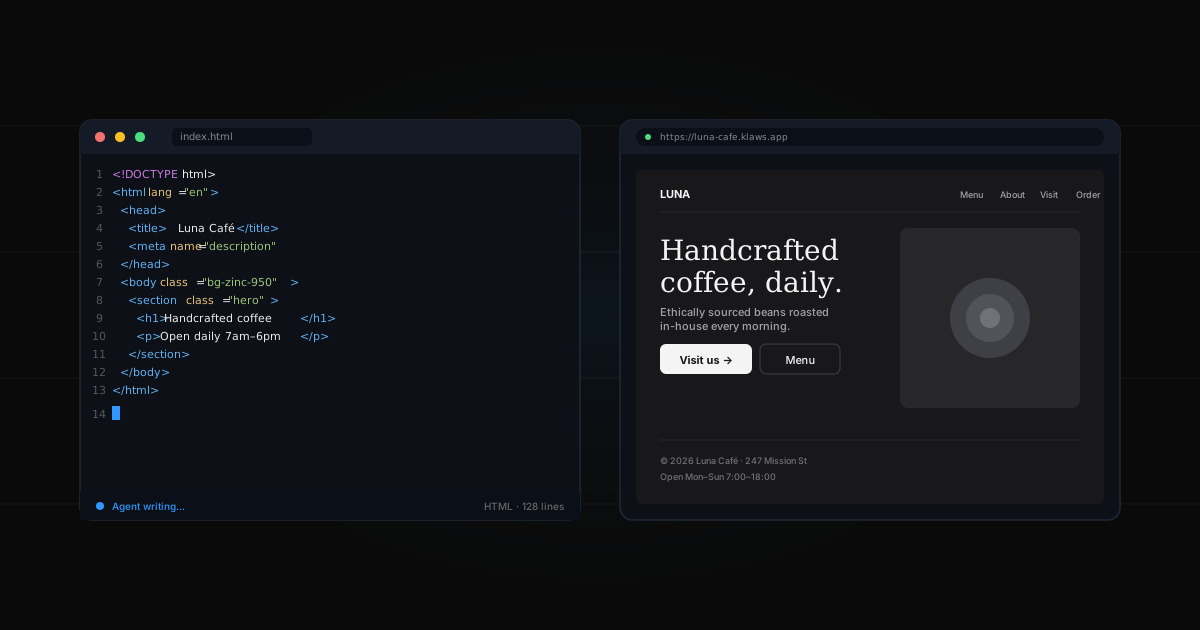
2. Watch it build in Canvas
Klaws has a feature called Canvas where your agent builds files live. You see the HTML, CSS, and assets as they're created. Watch the pages come together.
You can preview the site at any point. Not happy with something? Tell your agent: "Change the hero to use a gradient background" — it edits the file in place.
3. Deploy to a live URL
When you're happy, say "Deploy it." Your agent publishes the site to your own useklaws.com subdomain (or your custom domain if you've connected one). You get a shareable URL.
No DNS wrestling. No Vercel setup. Just a link that works.
A real example
"Build me a landing page for 'Pocket Brew' — a subscription coffee service. Friendly tone, cream and brown colors. Hero says 'Coffee that remembers you.' Sections: how it works (3 steps), pricing ($15/mo), and a waitlist signup."
Five minutes later, you have a working site:
- Responsive design
- Custom colors matching your brief
- Hero image (AI-generated or stock photo)
- 3-step how-it-works section
- Pricing card
- Email signup form
Iterating
Website design is iterative. Your agent handles feedback in plain English:
- "Make the hero bigger"
- "Add a testimonials section after pricing"
- "Change the font to something more modern"
- "Make the CTA button red"
Each change is a single message. No Photoshop, no CSS diving.
Limits
What your agent does well:
- Static sites with any layout
- Responsive design
- Forms that email you submissions
- Simple interactivity (animations, hover states)
What needs a different tool:
- User accounts and databases
- Payment processing (Stripe)
- Complex web apps with state
For most marketing sites, landing pages, and portfolios, this is more than enough.
Cost comparison
| Platform | Time | Cost | |
|---|---|---|---|
| Traditional | WordPress + hosting | Days | $10-50/mo forever |
| No-code | Webflow/Framer | Hours | $15-40/mo |
| AI agent | Klaws Canvas | Minutes | Included in plan |
The mental shift
Building websites used to be about learning tools. Now it's about describing what you want clearly. The skill has moved from how to what. Once your site is live, set up an AI content creation workflow to keep it fresh.