Every business has tasks that need to happen regularly but don't require creative thinking. Checking if your site is up. Scraping competitor prices. Generating weekly reports. Posting on social media.
These tasks are too important to skip but too tedious to do manually. Most people use a patchwork of Zapier zaps, cron jobs, and reminder apps. Your Klaws agent replaces all of that.
How scheduled tasks work
Describe what you want in plain English:
- "Check my website every 5 minutes and alert me on Telegram if it goes down"
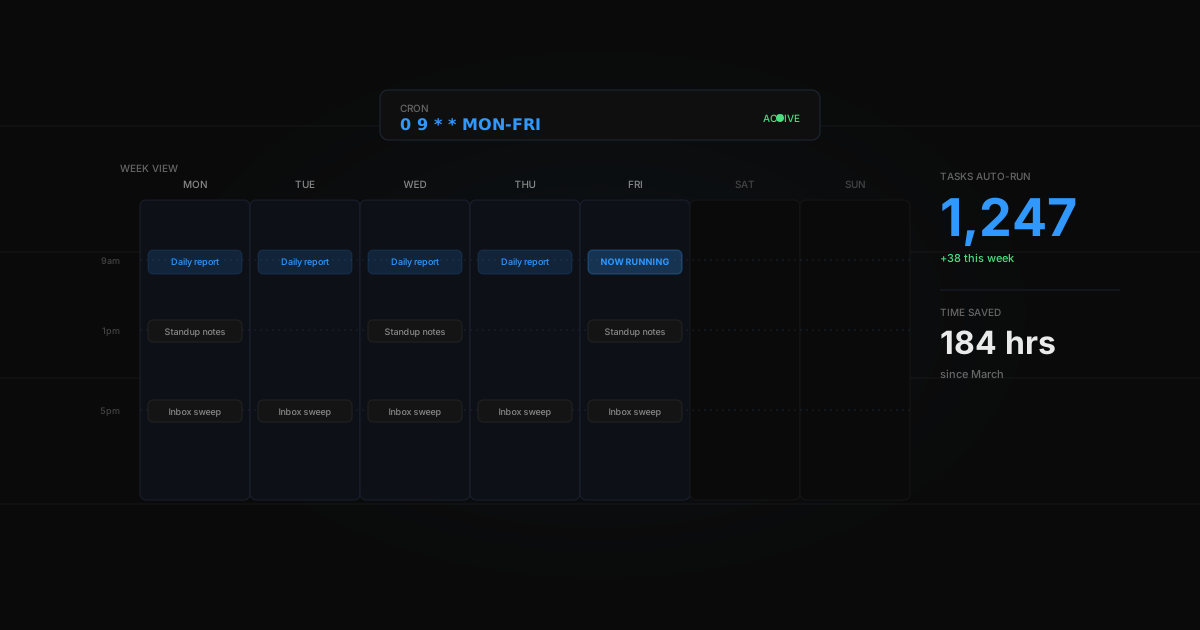
- "Every Monday at 9am, summarize what happened last week"
- "Post a tweet every day at 8am about AI trends"
- "Every morning, check competitor pricing pages and email me if anything changed"
Your agent sets up the automation, runs it reliably, and alerts you when something needs attention.
Real-world automations
Uptime monitoring: Your agent pings your website every 5 minutes. At 2:47 AM, it returns a 502 error. Your agent sends a Telegram alert with the error code and response time. The site recovers at 2:58 AM — 11 minutes of downtime, fully logged.
Price monitoring: Every morning at 8am, your agent checks 5 competitor pricing pages. One Tuesday, it detects a competitor dropped their Pro tier by 30%. You get an email before your standup with the change highlighted.
Weekly summary: Every Friday at 5pm, your agent compiles everything you worked on that week — conversations, tasks completed, files created — into a clean summary. Perfect for weekly reports or just keeping track.
Setting up your first automation
- Deploy your agent
- Go to chat and describe what you want automated
- Your agent creates the schedule and starts running
- Check the Tasks tab to see all your automations, edit schedules, or pause them
Why not just use Zapier?
| Zapier | AI Agent | |
|---|---|---|
| Setup | Connect apps, build flows | Describe in English |
| Logic | If-then rules | Understands context |
| Flexibility | Predefined triggers | Any task you can describe |
| Cost | $20-100/mo per workflow | Unlimited tasks in your plan |
| Maintenance | Breaks when APIs change | Adapts automatically |
The difference: Zapier needs you to think like a programmer. An agent needs you to think like a manager — just say what you want done. For a detailed comparison, see Klaws vs Zapier Agents.